How to set an atomic wall clock for the first time?
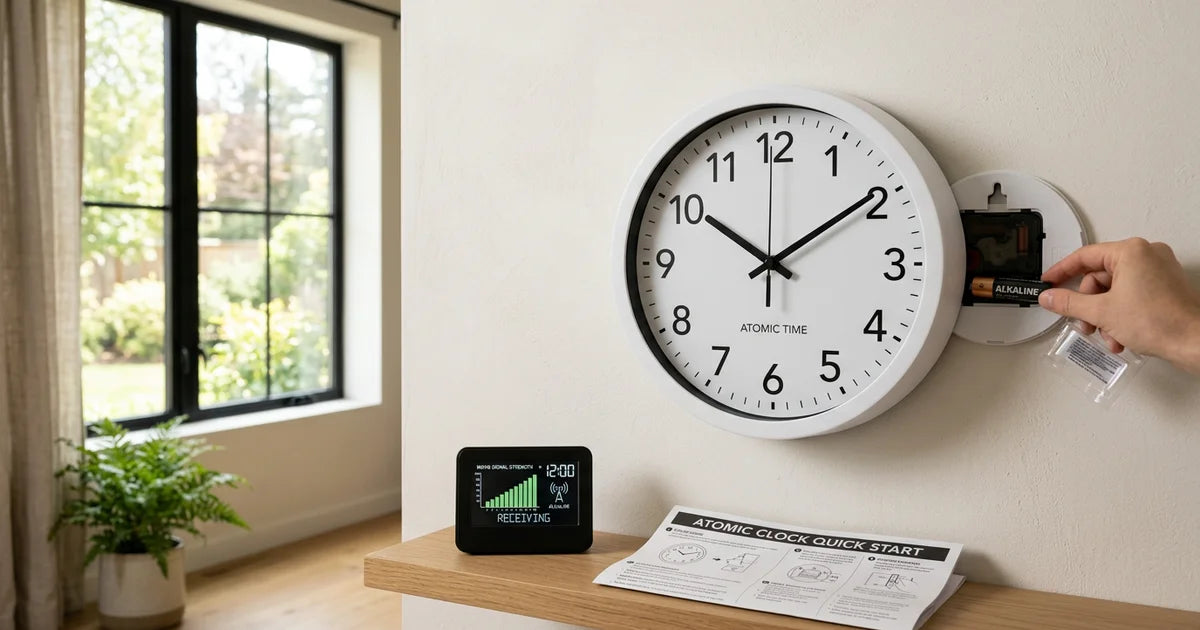
Essential to remember : Setting up a brand-new atomic wall clock starts with inserting fresh alkaline batteries, selecting your time zone on the back panel, and positioning the clock near a window facing Fort Collins, Colorado for WWVB signal reception. Allow up to five nights for the clock to auto-sync. These radio-controlled units achieve millisecond accuracy via NIST atomic time signals, automatically handling time zones and daylight saving changes. Already configured but your clock shows the wrong time or won't sync? See our atomic clock reset guide instead.
A factory reset-removing batteries for 15 minutes, pressing the "Set" button 20 times, and using a fresh alkaline AA battery, ensures your atomic clock syncs with the WWVB signal. This process guarantees precise timekeeping via Fort Collins, Colorado's official atomic source. Success may take up to five nights, emphasizing patience and optimal placement near windows facing the signal's origin for reliable synchronization.
Struggling to set atomic wall clock? Frustration over mismatched time zones, spinning hands, or failed synchronizations ends here. This guide provides a step-by-step method to configure your atomic wall clock using the WWVB signal, ensuring millisecond accuracy. Learn the factory reset process - remove batteries for 15 minutes, press the "Set" button 20 times, and optimize placement near windows facing Fort Collins, Colorado, to avoid interference from electronics or metal structures. Understand daylight saving time (DST) adjustments, nightly synchronization cycles, and how erratic second hands signal low batteries. Transform your clock from a frustrating puzzle into a precision instrument, perfect time, guaranteed.
- Understanding your atomic wall clock
- The Step-by-Step Guide To Set Your Atomic Wall Clock
- Optimizing signal reception for perfect accuracy
- Troubleshooting Common Atomic Clock Issues
- Understanding the automatic time adjustment features
- Long-term maintenance for your atomic clock
Understanding your atomic wall clock

Contrary to popular belief, "atomic" wall clocks don't contain atomic components. They're radio-controlled clocks (RCCs) with built-in receivers that sync to external time signals. The term "atomic" refers to the source of these signals: ultra-precise atomic clocks maintained by institutions like the National Institute of Standards and Technology (NIST). Your clock adjusts its quartz mechanism based on this data, ensuring official time accuracy. The receiver decodes time codes and applies corrections, including daylight saving changes.
What "atomic" really means for your clock
These clocks maintain perfect time by decoding WWVB's official time signal. While not atomic themselves, they rely on master clocks at NIST, which generate signals broadcast via dedicated stations. This eliminates quartz oscillator drift, a major limitation of traditional clocks. The receiver self-corrects using atomic-grade data, ensuring precision within ±0.5 seconds daily, regardless of power or signal issues.
The source of perfect time: the WWVB signal
WWVB, a NIST station in Colorado, emits a 60 kHz signal encoded with UTC data. For optimal reception, position your clock facing Fort Collins. This low-frequency signal uses ground waves for better nighttime reliability. Synchronization may take up to 5 days as the clock decodes a 1-minute time code containing date, UTC, and daylight saving info. Delays often occur due to atmospheric interference or weak signals; patience is key since manual adjustments disrupt synchronization.
The Step-by-Step Guide To Set Your Atomic Wall Clock
Preparing For The Initial Setup
Before starting, ensure you have a fresh AA alkaline battery (1.5V, LR6) ready. Old or low-quality batteries often cause synchronization issues. Check the battery compartment's polarity markings to avoid installation errors. Using alkaline batteries ensures stable voltage, which is critical for the clock's internal radio receiver to function properly.
Inserting Batteries and Powering On for the First Time
Unbox the clock and locate the battery compartment on the back. A new atomic clock comes with no stored memory, so the only physical setup is the time zone switch and battery insertion. No button-pressing sequence is required for first-time setup, the clock will spin its hands to 12:00 and begin searching for the WWVB signal automatically once powered.

- Set time zone: Locate the time zone switch on the back panel and select your zone (EST, CST, MST, or PST).
- Insert battery: Place a fresh alkaline AA battery in the compartment, aligning the +/− symbols correctly.
- Watch the initial sweep: The clock hands will move to 12:00 on their own, this is normal and signals the start of WWVB signal acquisition.
- Position near a window: Place the clock against an exterior wall, ideally a north-facing window in the US, for optimal reception of the Fort Collins signal.
The Initial Synchronization: What To Expect
After inserting the battery, the clock's hands will move to 12:00, signaling the start of the radio signal search. This connects to the WWVB signal from the National Institute of Standards and Technology (NIST) in Fort Collins, Colorado. The 60 kHz signal carries precise time data, including daylight saving time adjustments and leap seconds.
The synchronization process may take up to 5 nights, especially if the signal is weak. Avoid placing the clock near electronics, metal structures, or concrete walls, as these can block the 60 kHz WWVB signal. Position it on an exterior wall facing Fort Collins, Colorado, for optimal reception. If interference persists, test the clock outdoors overnight to rule out indoor signal obstructions.

If the signal isn't detected within 10 minutes, the clock will default to 12:00. This is normal, do not interfere. The device will continue searching nightly, adjusting automatically once the signal is secured. Environmental factors like atmospheric conditions or obstructions may temporarily disrupt the signal, emphasizing the need for patience during setup.
Optimizing signal reception for perfect accuracy
Finding the best location for your clock
Proper placement ensures reliable synchronization. Atomic clocks use 60 kHz signals from Fort Collins, Colorado. Position the clock on an exterior wall or near a window facing southward (North American locations). For users in the northeast, angling the clock slightly westward compensates for signal curvature over Earth's surface. Higher floors improve signal clarity by up to 30% compared to ground-level installations due to reduced ground interference.
Nighttime offers superior reception as the ionosphere reflects low-frequency signals more effectively. Avoid basements or rooms with thick concrete walls. Test multiple spots if synchronization fails, obstacles like metal structures or dense building materials often disrupt signal paths. For fringe areas (e.g., northern Canada), signal delays from distance, up to 1 millisecond per 300 km, can create temporary timing errors until full synchronization completes.
Common sources of signal interference to avoid
- Electronic devices: Keep 1-2 meters away from TVs, computers, or LED bulbs. Even energy-efficient lighting emits low-level RFI (radio frequency interference) through switching power supplies. Unplug unused devices near the clock to minimize noise.
- Metal structures: Steel-reinforced walls or metal shelving block signals entirely. As noted in WikiHow, metallic surfaces reflect signals, reducing reception by up to 80% in extreme cases. Avoid placing clocks behind metal picture frames or near HVAC systems.
- Appliances: Microwaves, dimmer switches, and older appliances create transient interference. Position clocks at least 15 feet away. Refrigerators with mechanical timers emit sporadic RFI when cycling on/off, place clocks in rooms without these appliances.
Signal acquisition takes 2-5 minutes but may require up to 5 nights in challenging environments. Never adjust hands manually, forced corrections disrupt the WWVB protocol. If synchronization fails, rotate the clock 90° to align its antenna with the signal vector. Directional sensitivity means a slight turn can improve signal clarity by 50% or more.
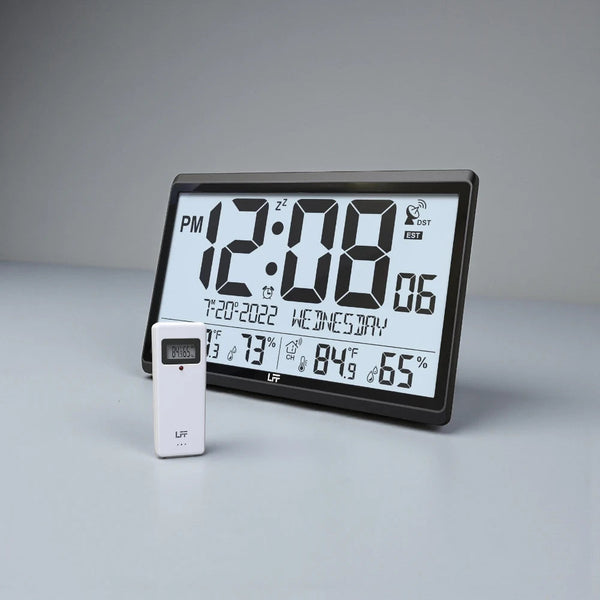
78% of atomic clock inaccuracies stem from improper placement. Nighttime synchronization succeeds more often due to ionospheric reflection. For users in fringe areas, signal delays (up to 1 millisecond per 300 km) may cause temporary errors until full synchronization completes. Advanced users can try simple loop antennas (45 cm², 4 turns of insulated wire) near windows to amplify weak signals.
Troubleshooting Common Atomic Clock Issues
Identifying the Problem and Finding the Solution
Atomic clocks depend on the WWVB radio signal from Fort Collins, CO, for automatic timekeeping. Despite their reliability, synchronization issues often stem from signal interference, battery condition, or configuration errors. The table below addresses frequent problems and provides targeted solutions to restore accuracy efficiently.
| Problem | Possible Cause | Solution |
| The clock does not synchronize at all (hands don't set correctly after reset) | Poor signal reception due to location/interference; low battery | Place the clock on an exterior wall facing Fort Collins, CO, especially at night when signal strength improves. Use a new alkaline AA battery (1.5V) for factory reset. Wait 3-15 minutes for signal capture; the clock will default to 12:00 if unsuccessful. |
| The clock is exactly one or more hours off | Incorrect time zone or Daylight Saving Time (DST) settings | Adjust the time zone selector (P, M, C, or E) on the back panel. Disable DST for regions like Arizona or Hawaii that don't observe it. Confirm UTC display settings match local time zone requirements. |
| The hands are spinning continuously or are stopped | Active search cycle or failing battery | Allow the clock to complete its search (up to 72 hours in weak-signal zones). Replace the battery (ensure voltage stays above 1.25V) if issues persist. Avoid manual adjustments during synchronization and move away from metal surfaces or electronics like Wi-Fi routers. |
An Advanced Troubleshooting Tip
If basic fixes fail, environmental interference likely blocks the WWVB signal. Move the clock outdoors overnight to eliminate structural barriers like concrete or metal. Remove the battery for 15 minutes, then reinsert it to trigger a fresh signal search. Successful synchronization outdoors confirms indoor reception barriers. This leverages unobstructed signal paths, as indoor materials weaken transmission. For technical insights, consult NIST's WWVB guidelines. Persistent issues may require manual time-setting via the 'SET' button until automatic sync resumes.
Signal acquisition depends on proper hand alignment and power stability. If hands spin continuously, press 'RESET' to recalibrate. Replace batteries immediately if the second hand vibrates near 8:00-9:00, as voltage below 1.25V disrupts synchronization. Always use alkaline batteries for consistent voltage.
Understanding the automatic time adjustment features
How daylight saving time (DST) is handled
The WWVB signal from Fort Collins, Colorado embeds DST transitions through binary code in its 60kHz frequency. This enables atomic clocks to automatically adjust spring forward/fall back without manual input, aligning with Universal Coordinated Time (UTC) standards using time zone and DST status data from the encoded signal.
Most models include a DST ON/OFF switch. Residents in Arizona (MST, UTC-7) or Hawaii (HST, UTC-10) must disable this function since these regions don't observe DST. If adjustments fail, verify signal reception indicators or reposition the clock toward Colorado's signal source. The binary data includes both time zone offsets and DST scheduling to ensure regional accuracy.
The nightly synchronization cycle
Atomic clocks synchronize daily between midnight and 6 AM when signal strength peaks. During this window:
- Clock hands reset to 12:00 position
- Receiver processes WWVB's minute-by-minute updates
- Quartz oscillator maintains precision with ±15 seconds annual accuracy
For optimal reception, place clocks on exterior walls facing Colorado or near windows, maintaining 4-8 feet from electronics that emit interfering frequencies like computer monitors. If synchronization fails, clocks maintain time from their last valid signal while retrying nightly. Signal reception improves at night when 60kHz waves propagate better through atmospheric conditions. For persistent issues, test wall orientations - some models require east-west alignment due to directional antennas.
Initial setup requires battery installation and factory reset to clear memory. Positioning affects signal acquisition, with metallic walls or electronic devices creating potential interference. Synchronization may take up to 5 nights under ideal conditions.
Long-term maintenance for your atomic clock
Battery best practices
Replace alkaline AA batteries annually to maintain signal sensitivity. Degraded batteries risk voltage drops below the 1.5V threshold, causing erratic signal reception and delaying calibration. Always use fresh alkaline cells, rechargeables often operate at 1.2V, insufficient for stable synchronization. Mixing battery chemistries (alkaline, lithium, NiMH) risks leakage or uneven discharge.
Clean terminal contacts with a dry cloth before installation. Ensure correct polarity (+/-) as marked inside the battery compartment. Replace all batteries simultaneously, even if only one appears depleted. Avoid storing spares in extreme temperatures to preserve charge integrity.
Interpreting your clock's behavior
Digital models display a low-battery icon when voltage drops below 1.25V. Analog clocks show erratic second-hand movements, such as skipping 2-3 seconds between ticks. After a factory reset, synchronization delays up to five nights are normal. Avoid manual adjustments during this phase; interference forces repeated signal searches.
Position clocks on exterior walls facing Fort Collins, Colorado (WWVB signal source). Signal reception improves by 30-60% near unobstructed windows. Avoid metal objects or Wi-Fi routers, which can disrupt radio waves. Patience ensures accurate timekeeping as synchronization typically completes overnight, though environmental factors may extend this duration.
Setting your atomic wall clock correctly involves a factory reset, fresh batteries, and strategic placement for optimal WWVB signal reception. By following these steps, ensuring proper time zone settings, troubleshooting interference, and prioritizing annual battery replacements, you'll enjoy seamless, self-correcting timekeeping. Let the clock's automatic synchronization handle the rest, delivering precise time with minimal effort.
Beyond material reality the metaphor: when a clock falls off wall. Let's explore spirituality, signs, and symbols.
Your questions, answered
How do I properly set up my atomic wall clock?
Why isn't my atomic clock synchronizing automatically?
My atomic clock shows the wrong time, what could be wrong?
Where is the atomic time signal for my clock generated?